

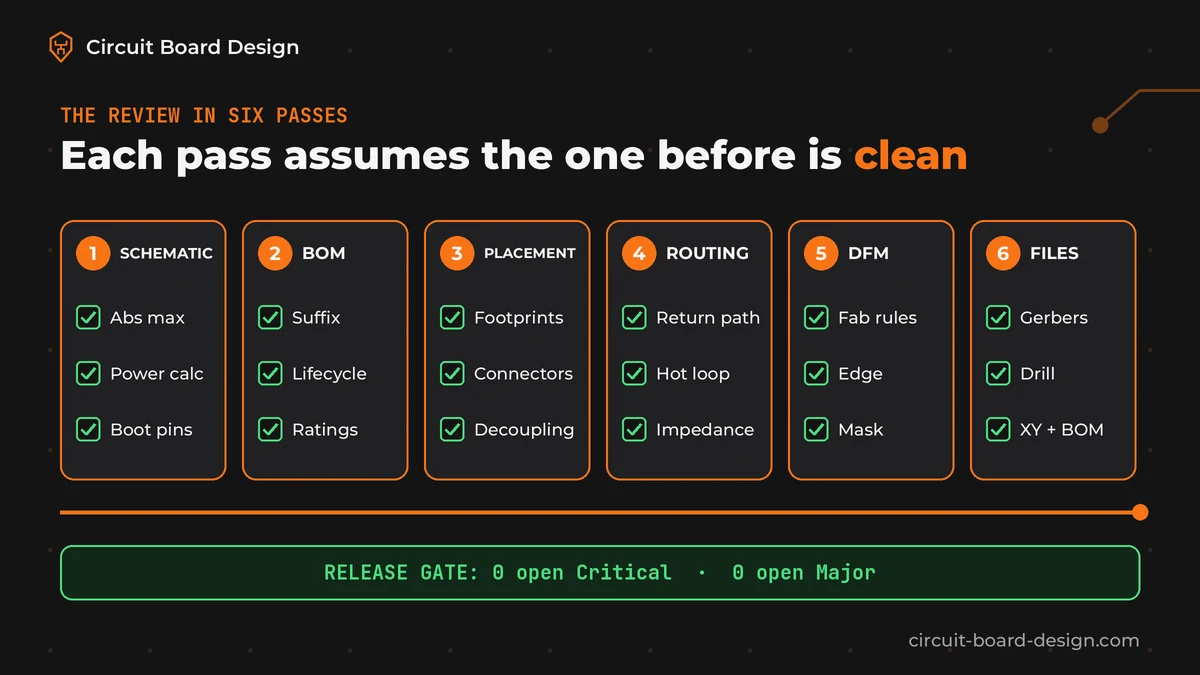
A PCB design review checklist covers six areas before fab: schematic intent, BOM and part numbers, footprints and placement, routing and return paths, your fab's design rules, and the output files. Rank every finding Critical, Major or Minor. Fix everything Critical and Major before you order. A clean DRC is the start of a review, not the end of one.
Updated October 27, 2026. By the Circuit Board Design engineering team, reviewed by our IPC CID+ certified lead designer.
Why a clean DRC doesn't mean the board will work
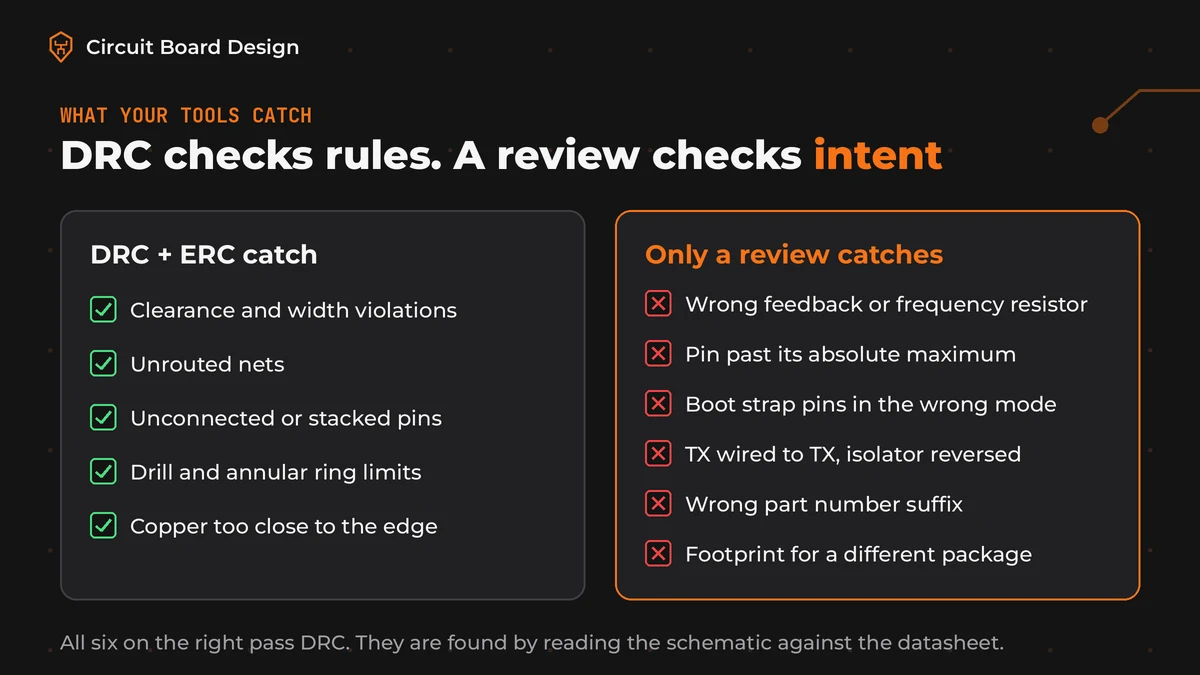
Your EDA tool checks the rules you gave it. That's all. ERC finds pins that aren't connected the way the symbol expects. DRC finds copper that's too close or a net that isn't routed. Both are worth running every time, and both are explained well in the KiCad schematic editor and PCB editor manuals.
Neither one knows what your board is supposed to do. We see this every week. DRC can't tell that a resistor sets the wrong switching frequency, that an enable pin sees more than its absolute maximum at high input voltage, or that a TX line goes to another TX. Those are the faults that turn into a respin. They're also the faults we find most often when a board arrives marked "finished".
Three of our own write-ups show what that looks like in practice:
- Three ship-blocking faults on one board: a miscalculated frequency resistor, an enable pin past its absolute maximum and an isolator channel wired in reverse.
- A board that wouldn't boot with every rail correct, traced to a boot strap pin conflict.
- A buck converter that kept failing because the board was built with the fixed-output version of the part the schematic needed.
All three passed DRC. We found all three by reading the schematic against the datasheet. That's it.
How we rank findings: Critical, Major, Minor
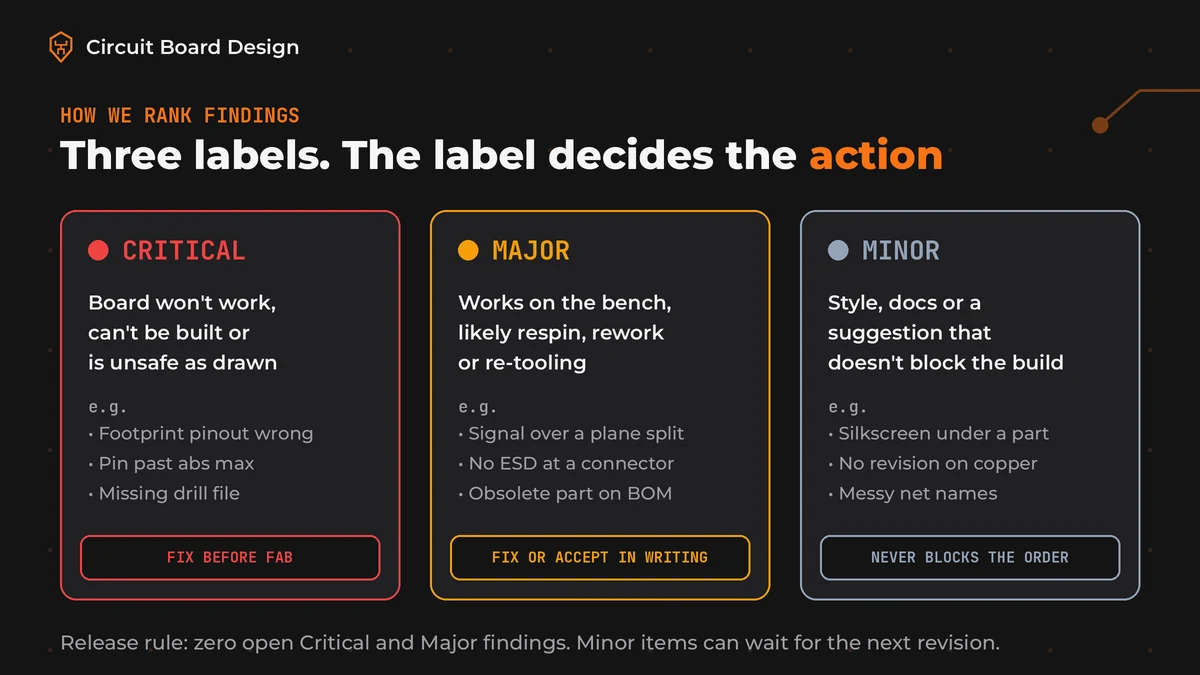
A long list of comments with no ranking is hard to act on. The designer fixes the easy ones and the dangerous one gets lost. So every finding in our reviews gets one of three labels, and the label decides what happens next.
| Severity | What it means | Typical example | Action |
|---|---|---|---|
| Critical | The board will not work, can't be built or is unsafe as drawn | Footprint pinout doesn't match the part. Pin driven past its absolute maximum. Missing drill file | Fix before fab. No exceptions |
| Major | The board may work on the bench but would plausibly need a new revision, rework or re-tooling | Fast signal crossing a plane split. No ESD at a user connector. Obsolete part on the BOM | Fix before fab, or accept in writing with a reason |
| Minor | Style, documentation or a suggestion that doesn't block the build | Silkscreen text under a part. Revision missing from the copper. Inconsistent net names | Fix if cheap. Never blocks the order |
The rule that makes this useful: a board only goes to fab with zero open Critical and Major items. Minor items can wait for the next revision. Write the label next to each finding with the datasheet page or rule that proves it. "Looks wrong" isn't a finding.
When to review: three gates, not one
One big review the day before ordering finds problems when they're most expensive to fix. So we don't do that. We split it into three gates.
- Schematic freeze. Review the schematic and the BOM before layout starts. A wrong part or a missing protection circuit is a five-minute fix here.
- After placement. Check placement, connectors and the enclosure fit before routing. Moving a connector after routing means routing again.
- Before release. Run the full checklist on the final design and on the output files you're about to send. Review the files the fab will get, not only the design they came from.
The PCB design review checklist
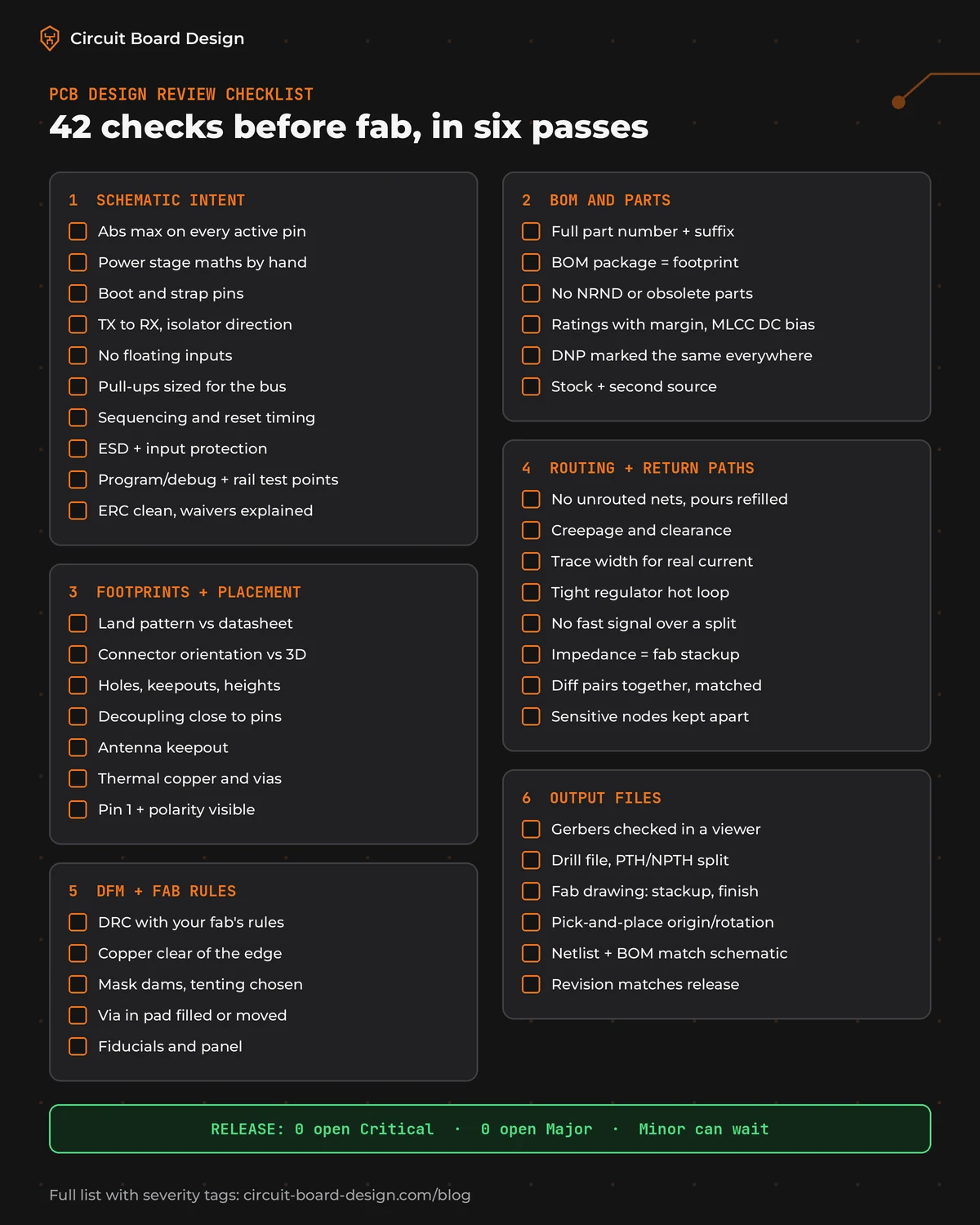
These are the 42 checks we run before a board goes to fab. The tag after each one shows how we'd usually rank a finding on that check. Skip the items that don't apply to your board, but write down that you skipped them.
Pass 1: schematic intent (10 checks)
- Absolute maximum ratings hold on every active pin across the full input range. We check startup and hot plug too, because that's where they break. Critical
- Power stage maths matches the datasheet. We redo the feedback divider, frequency resistor, inductor and output capacitance by hand. Critical
- Boot, strap and configuration pins select the mode you want at power up. Critical
- Signal direction is right on every interface: TX to RX, isolator channels, level shifters and buffers. Critical
- No input is left floating. Enables, resets and unused inputs are tied the way the datasheet asks. Don't trust a default. Major
- Pull-ups exist on I2C, open-drain lines and resets, with values that suit the bus speed. Major
- Power sequencing and reset timing meet the processor's requirements. Major
- Every connector a user can touch has ESD protection, plus reverse polarity and overcurrent protection where power comes in. Major
- There's a way to program and debug the board, and test points on every rail. Major
- ERC is clean and every waived warning has a written reason. Major
Pass 2: BOM and parts (6 checks)
- The full part number, suffix included, is the variant the schematic needs: fixed or adjustable output, temperature grade, package. Critical
- The package on every BOM line matches the footprint on the board. Critical
- No part on the BOM is marked NRND or obsolete by its maker. Major
- Voltage, power and temperature ratings have margin. Check MLCC capacitance at the real DC bias. The label value isn't what you'll get. Major
- Do-not-populate parts are marked the same way in the schematic, the BOM and the assembly drawing. Major
- Common parts have stock and a second source. You'll thank yourself at the next build. Minor
Pass 3: footprints and placement (7 checks)
- Every footprint matches the datasheet land pattern: pad size, pitch, pin 1 and thermal pad. We don't trust library parts we didn't check. Critical
- Connector orientation and mating side match the mechanical drawing or the enclosure 3D model. Critical
- Mounting holes, keepouts and part heights fit the enclosure. Major
- Decoupling capacitors sit close to the pins they serve with a short path to ground. Major
- Wi-Fi, BLE and LoRa modules have the antenna keepout their datasheet asks for. Major
- Hot parts have copper area or thermal vias and sit away from heat-sensitive parts. Major
- Pin 1 and polarity marks stay visible after assembly. Minor
Pass 4: routing, power and return paths (8 checks)
- No unrouted nets. Every pour is refilled with no orphan copper, and pads on planes have thermal relief where they need hand soldering. Critical
- Creepage and clearance on high-voltage nets meet the safety standard your product falls under. Critical
- Trace widths carry the real current at the copper weight you're ordering. IPC-2152 is the usual reference. Major
- The switching regulator hot loop is as tight as the datasheet layout guide shows. Major
- No fast signal crosses a split or gap in its reference plane. Major
- Controlled impedance traces match the stackup your fab confirmed. Not a guess. Ask them. Major
- Differential pairs run together and are length matched to the interface spec. Major
- Analog inputs, crystals and sensitive nodes are kept away from switch nodes and clock lines. Major
Pass 5: DFM and fab rules (5 checks)
- DRC runs with your fab's published rules, not the tool defaults. Trace and space, drill size and annular ring all come from the fab, for example the JLCPCB capabilities page. Critical
- Copper keeps its distance from the board edge, slots and V-score lines. Major
- Solder mask dams exist between fine-pitch pads and via tenting is a choice, not an accident. Major
- Vias in pads are either specified as filled and capped or moved out of the pad. Major
- Fiducials and panel needs match what the assembler asked for. Minor
Pass 6: output files (6 checks)
- Gerbers open in a viewer with every layer present, nothing mirrored and the outline on the right layer. Look at them yourself. Critical
- The drill file matches the holes on the board, with plated and non-plated holes split. Critical
- The fab drawing or readme states stackup, material, finish, copper weight, impedance targets and tolerances. Major
- The pick-and-place file has the right origin, rotation and side for every part. Major
- The netlist and BOM in the release match the schematic of record. Major
- The revision on the copper or silkscreen matches the file names and the release notes. Minor
How to run the review on your own board
You don't need special tools. You need the datasheets, a quiet hour per pass and the discipline to write your findings down. That last part is the hard one.
- Freeze a revision. Review a tagged version. Changes made during the review get their own check.
- Open the datasheet next to the schematic. Go part by part. Check the pin table, the absolute maximum table and the application circuit.
- Load your fab's rules. Many fabs publish rule files or a capability table. Use those numbers in DRC.
- Review the outputs, not only the design. Open the Gerbers and drill files in a viewer before you upload them. PCB Power's checklist lists the files a fab expects to receive.
- Log every finding with a severity and a reference. A spreadsheet works. One row per finding: location, what's wrong, the proof, the label and the fix.
- Get a second pair of eyes. The person who drew the board reads what they meant, not what they drew. A colleague, a peer or an outside reviewer reads what's there.
Other public lists are good companions to this one. Altium's PCB design and review checklist is strong on silkscreen and assembly details. NCAB's PCB design checklist covers fab-side items. Engineers on the KiCad forum mention wrong trace widths, missing decoupling capacitors, connector orientation and forgotten test points as the misses they see. What most lists leave out is the ranking, and the schematic checks that no tool can do for you.
If manufacturability is your main worry, our guide to solving DFM issues before they start goes deeper on pass 5. Moving an old design to a new tool first? Run this checklist after the EAGLE to KiCad or Altium migration, not before.
Self-review, peer review or outside review?
| Option | Good for | Watch out for |
|---|---|---|
| Self-review with this checklist | Simple 2-layer boards, early prototypes, every board as a first pass | You read your intent, not the drawing. Schematic logic errors slip through |
| Peer review inside your team | Teams with a second hardware engineer who knows the product | Time pressure. Reviews get skipped the week the order is due |
| Outside design review | Boards heading to production, certification or a contract manufacturer, and teams with one hardware engineer | Ask for a ranked written report with a reference on every finding, not a call with opinions |
We'd use all three. Most teams do, at different stages. Self-review at every gate, a peer before release and an outside review before the first production build or a certification test.
Frequently asked questions
What should a PCB design review checklist include?
It should cover schematic intent, BOM and part numbers, footprints and placement, routing and return paths, the fab's design rules and the output files. Rank each finding Critical, Major or Minor so the dangerous ones get fixed first and nothing blocking goes to fab.
Is a clean DRC enough before sending a board to fab?
No. DRC checks the rules you set, such as clearances, widths and unrouted nets. It can't tell that a resistor value is wrong, a pin is driven past its absolute maximum, a boot pin selects the wrong mode or a part number suffix is the wrong variant. Those need a review against the datasheets.
When should you do a PCB design review?
At three gates: when the schematic is frozen, after placement and before routing, and before release on the final output files. Finding a problem at schematic freeze is far cheaper than finding it in the Gerbers the day you order.
What is the difference between a design review and a DFM check?
A DFM check asks whether the board can be built and assembled with the fab's and assembler's processes. A design review also asks whether the board will work: schematic logic, ratings, part choice and signal integrity. DFM is one pass inside a full design review.
How long does a PCB design review take?
It depends on the board's size and complexity. Our free quick check returns checklist-level notes in 2 business days. Our production-ready review of schematic, layout and BOM returns a severity-ranked report in 3 to 5 business days for a fixed quote per board.
What files do I need for a PCB design review?
Send the schematic, the layout files in their native format, the BOM with full part numbers and, if you have them, the Gerbers, drill files and the fab you plan to use. Native files let the reviewer check rules and nets, not only pictures of them.
Get a second pair of eyes before you order
Send us your board before it goes to fab. Start with the free quick check and get checklist-level notes in 2 business days, no call needed. If the board is heading to production or certification, the production-ready review covers schematic, layout and BOM end to end with a severity-ranked report. It's a fixed quote per board, and if we find nothing Critical or Major you pay nothing.
Send your board for a free quick check
Need more than a review? See our DFM and DFT review and PCB layout services, or contact us for a fixed quote.
Sources
- KiCad 9 documentation: Schematic Editor, electrical rules check
- KiCad 9 documentation: PCB Editor, design rule checking
- Altium Resources: PCB design and review checklist
- PCB Power: PCB design review checklist before manufacturing
- NCAB Group: PCB design checklist
- JLCPCB: PCB manufacturing capabilities
- KiCad forum: PCB design review checklist before fabrication


